Targets
files, URLs, hostnames, raw IPs
 windows desktop triage tool
 The public build gives you a native Windows interface for inspecting suspicious targets, stacking signals, and walking away with a readable report before deeper analysis starts.
Targets
files, URLs, hostnames, raw IPs
Stack
C++ · Qt 6 · MASM
Outputs
report, IOC export, analyst view
Release
installer + portable package
desktop capture
current ui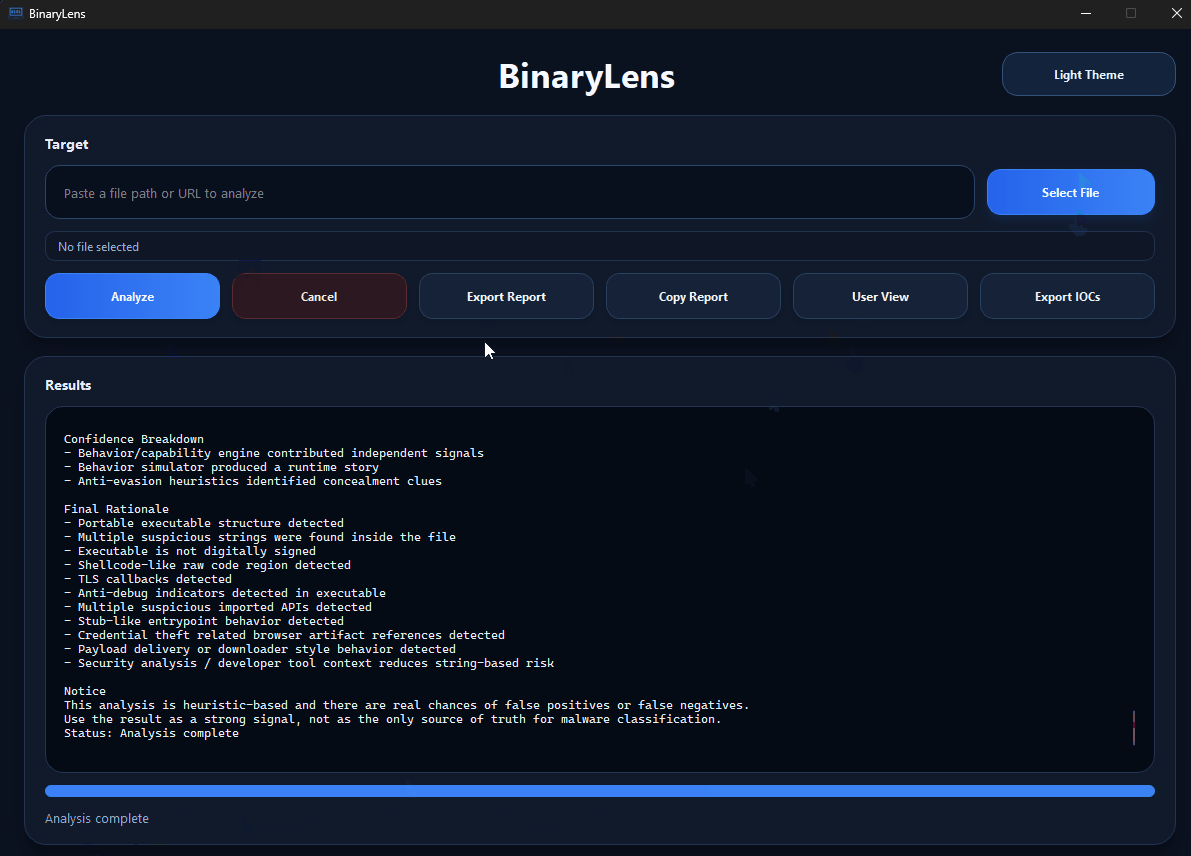
inside the interface
target field, report actions, and the large results area
what you see
the actual app flow before export or deeper manual analysis
what is already in the app
The same Windows UI handles suspicious files, URLs, hostnames, and raw IPs instead of splitting the first pass across separate tools.
Sections, reasons, and corroborated signals make the result read like a triage note instead of an opaque label.
Low-level hits inside clean containers are treated more carefully so harmless archives are less likely to look exaggerated.
The project can already surface provider, organization, ASN, ownership, and infrastructure context for a faster first read.
Optional YARA and VirusTotal support add context without pretending a single source solves the whole case.
The public release comes from a desktop codebase with Qt, CMake, MASM, and real Windows packaging.
how the flow works
Start with a file path, URL, hostname, or raw IP inside the same desktop window.
Hashes, PE details, archive traces, YARA, payload hints, and network context enter the report when they fit the target.
The valuable part is the explanation behind the result, not just the top-line verdict.
Use the output to decide between sandboxing, reversing, IOC follow-up, or a second manual review.
best fit
teams and students who want a more readable first-pass workflow
people who prefer a native Windows tool over a scattered process
anyone learning malware triage and wanting more context before going deeper
developers interested in a desktop project with Qt, C++, MASM, and real packaging
limits
it does not replace sandboxing
it does not replace an EDR
it is not the final authority on whether something is malicious
it is still an evolving project with heuristic tuning in progress
what you can do now
Installer and portable package ready for Windows.
Report export, IOC export, clipboard copy, and analyst view are already there.
Main repository with desktop UI, analyzers, MASM, and build chain.